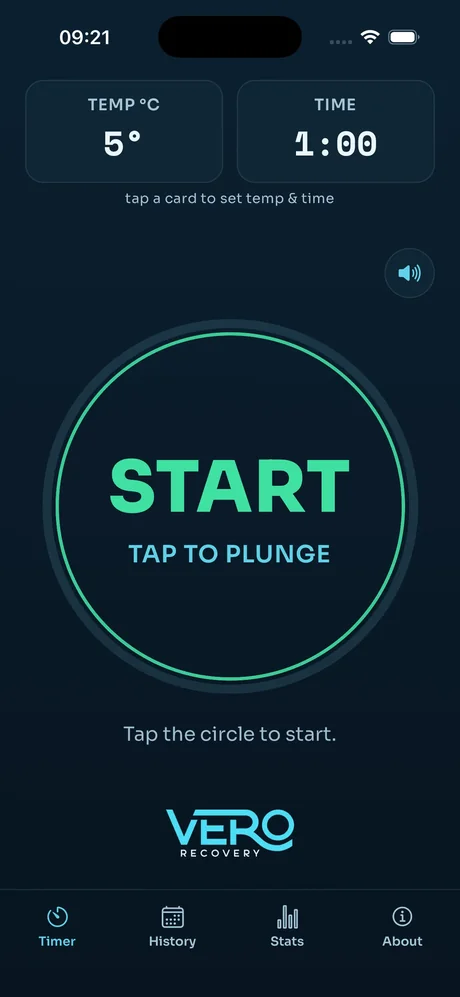
Ready when you are
Set your temperature and time, then tap the big START ring. It's built to work with cold, wet hands - no fiddly small buttons to miss.
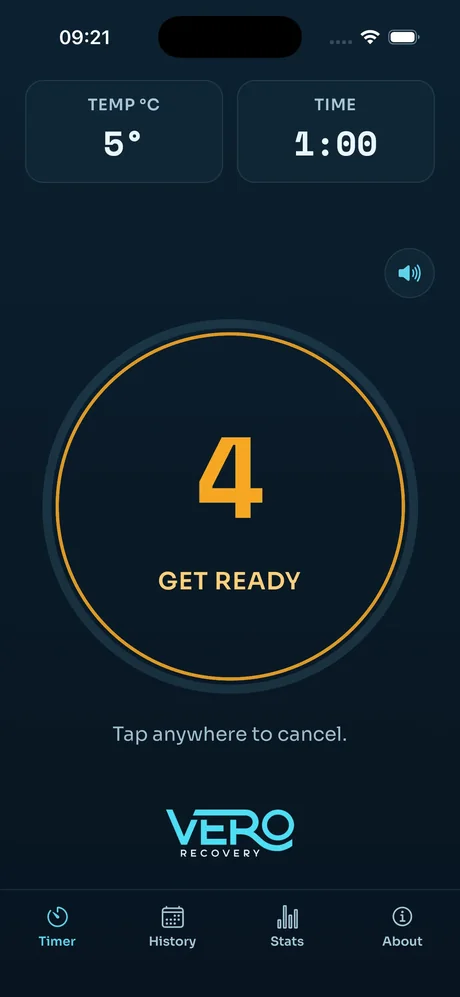
A few seconds to get in
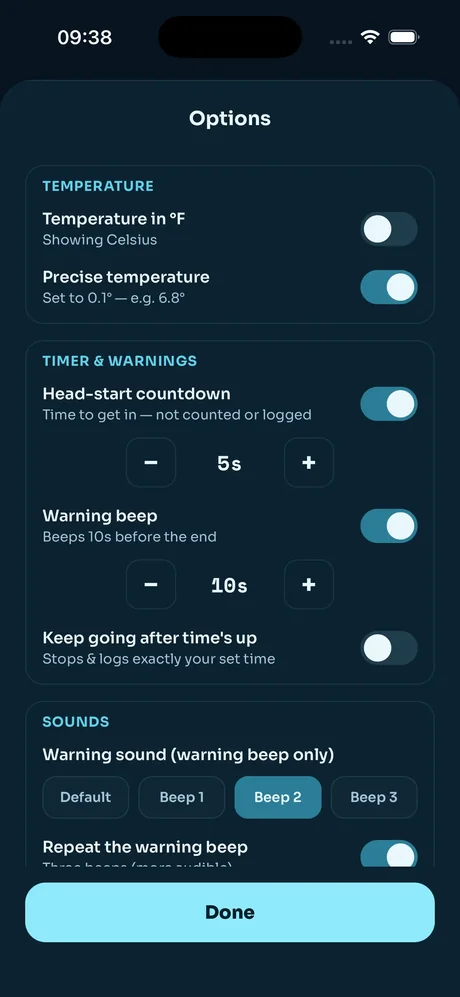
An optional head-start countdown gives you time to actually climb into the water before the clock starts. It isn't counted or logged as part of your plunge.
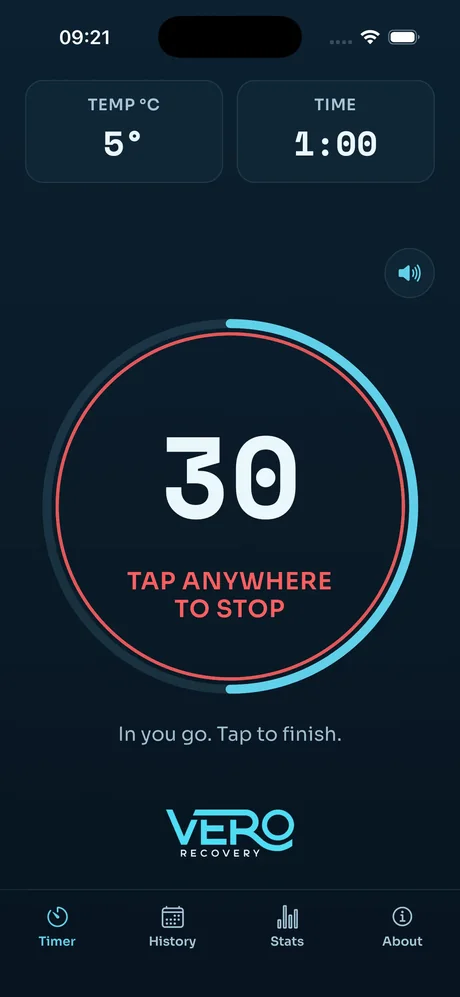
In the plunge
A clear ring counts down your time so you can glance and go straight back to breathing. Tap anywhere to stop early if you need to.
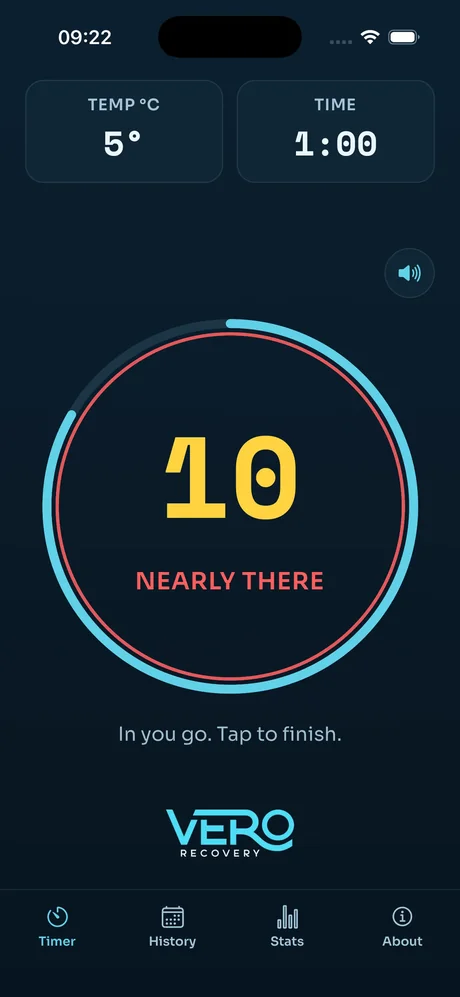
The heads-up
As you get close to the end, the ring and text change colour and the warning beep kicks in - so you always know it's nearly over, even with your eyes closed.
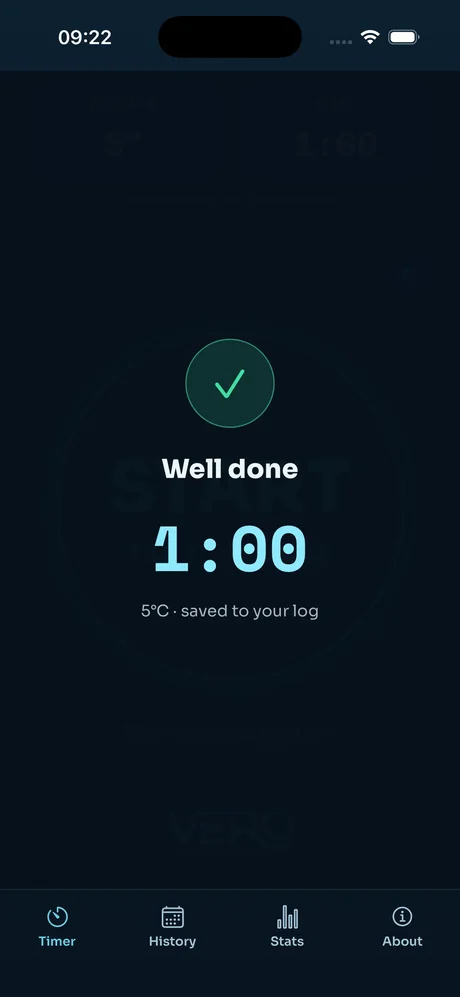
Well done
A simple confirmation when you're finished, with your time and temperature saved straight to your log. Nothing to fill in yourself.
Your stats, at a glance
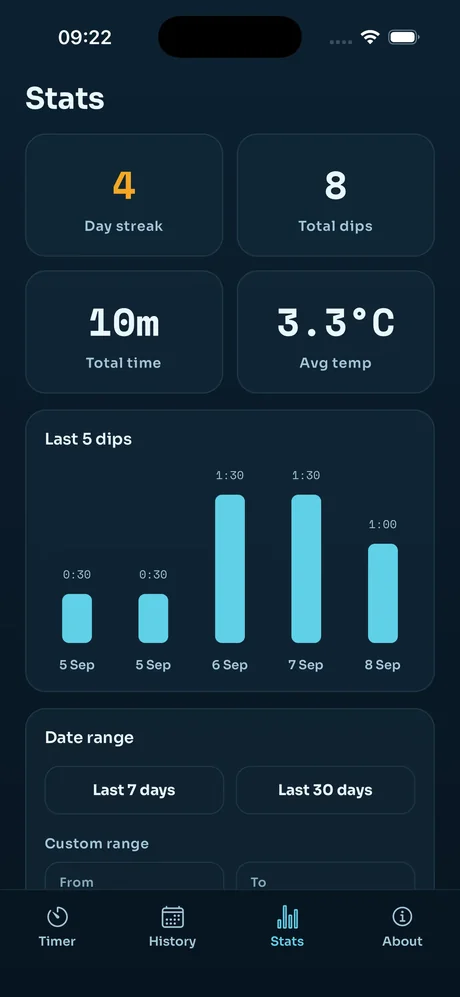
Day streak, total dips, total time and average temperature - plus a chart of your last five plunges. Filter by the last 7 days, last 30, or your own custom range.
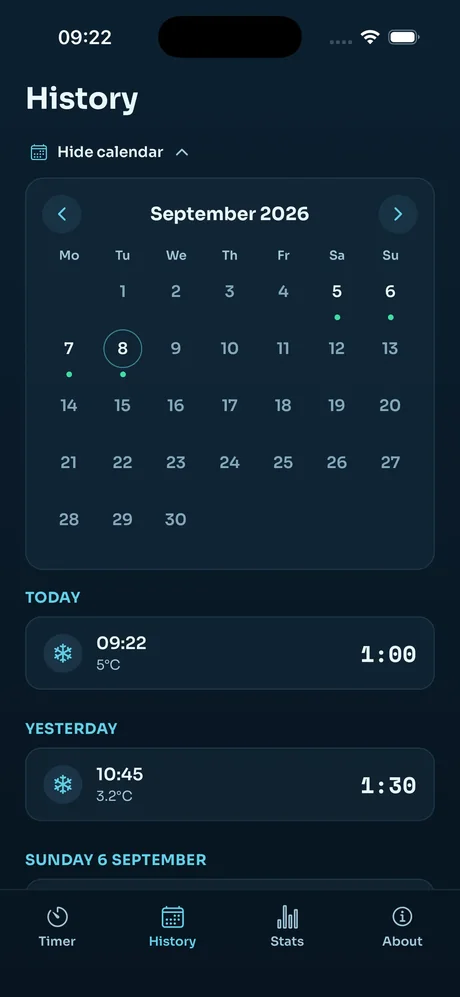
Every plunge, logged
A calendar marks the days you've plunged, with a full list below it - time, temperature and duration for every session, automatically.
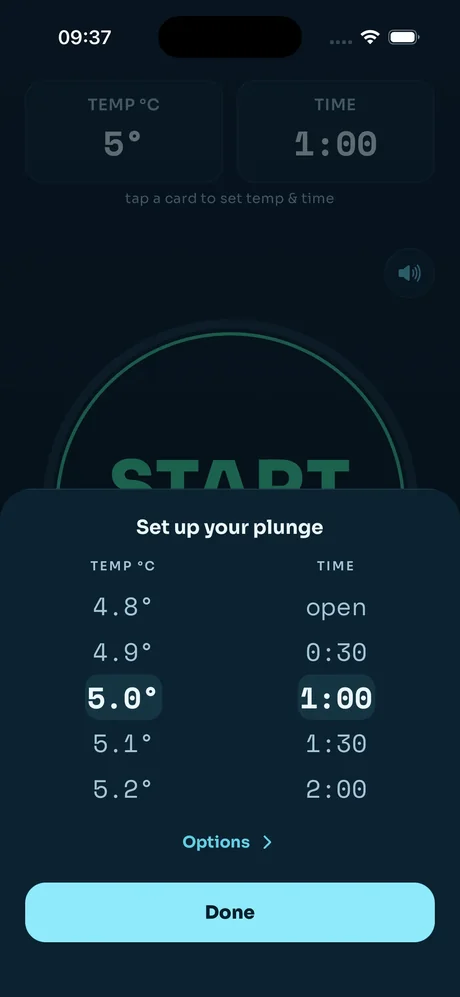
Set up your plunge
Scroll to your temperature and time before you start - precise to 0.1 degrees if that's how you like to track it.
Make it yours
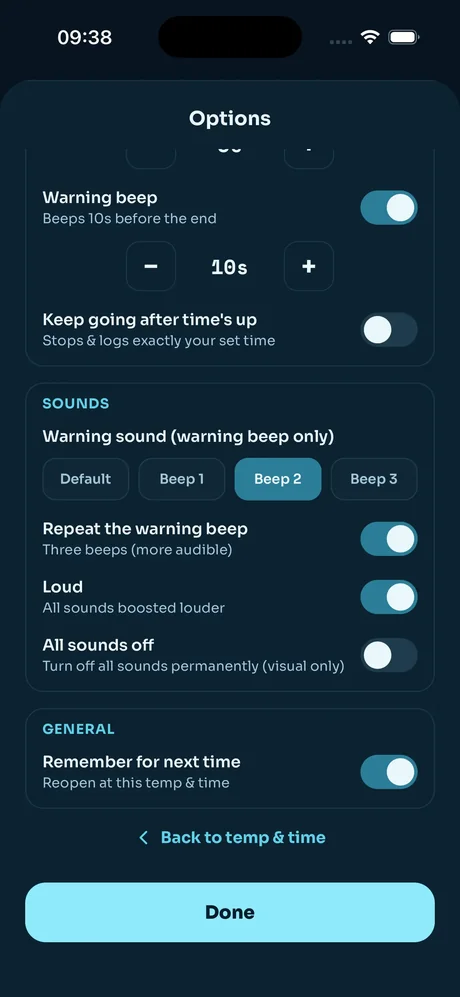
Switch between °C and °F, choose your warning beep and how long before the end it fires, turn on loud mode for noisy spots, or switch every sound off and go visual-only. Vero Plunge remembers your settings for next time.